I discovered a fine YouTube channel that you should check out::
Xplained with MUSHROOMS – YouTube
Don’t be fooled by the clever and cheerful animations, these are clear and knowledgeable explanations of technical issues. I watched two that focused on AI and learned some new things that inspired this post:
Here is some information I learned from the second video, that is going to change my behavior when it comes to AI use.
Based on a Google technical paper, a typical text prompt consumes very little water (about 5 drops) and energy (0.24 watt-hours) equivalent to watching TV for less than nine seconds. This sounds reassuring as it was meant to be. But image and video generation tell a different story.
The journal “MIT Technology Review measured energy consumption using open-source models. They were not able make independent measurements of commercial models used in products like Gemini, Claude or OpenAI, because these are proprietary. One high-quality image from one of these models used 2,282 Joules. Using another model a 5-second video consumed 3.4 million Joules. The video example is about the same as running a microwave for over an hour.
Multiply by millions of users and you begin to understand why AI datacenters ravaging the worlds energy supply this is significant.
There are alternatives you can consider when you are thinking about making AI do the work of producing visual material for your use.
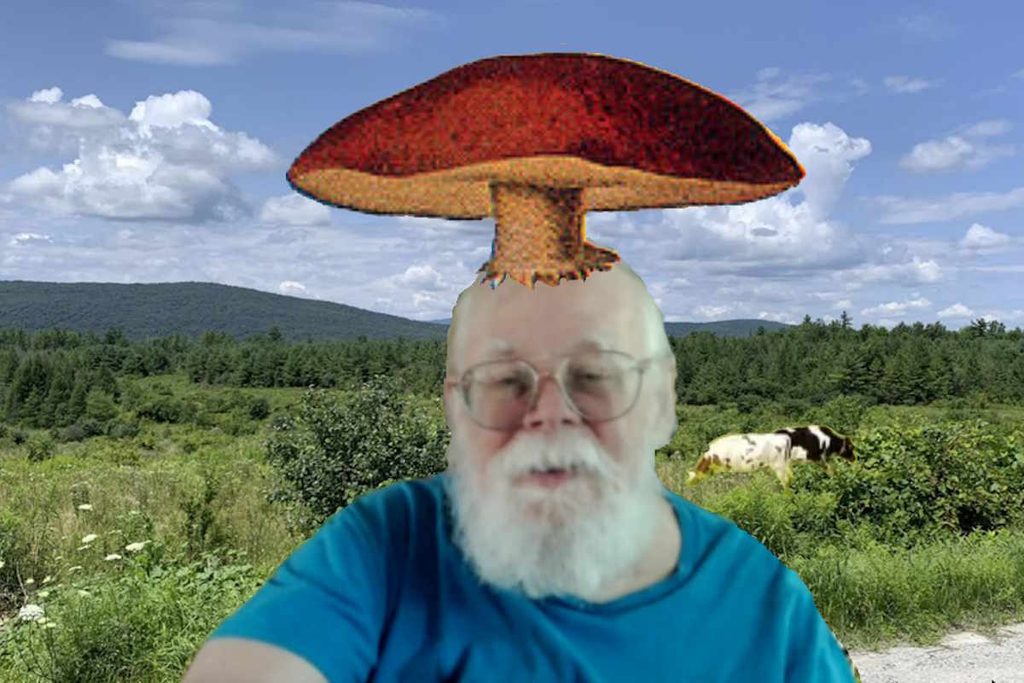
Consider the silly image that accompanies this article. It was composed from a video capture image from a zoom meeting, two photos I took while strolling in Vermont (the cows come from a separate photo) and a public domain image of a mushroom from WikiMedia. I used Paint.net (a free alternative to PhotoShop).
Ok. it took much longer than it would if I asked an AI program to generate it for me. But has several advantages:
- I had a lot of fun!
- I learned some photo editing skills. It is not as hard as you would think!
- No copyrighted material was used. You cannot be sure what artist was robbed by AI to generate your image.
- Much less energy and other resources were consumed. The planet thanks you for conserving your use of AI.
- I felt a sense of pride, even for doing a stupid little joke image. As computational linguistics professor Emily Bender said “Have pride in your own expertise. The message from the tech companies… is ‘We can make a machine to do what you do.’ And this is always based on a misunderstanding of what people are doing when we do our jobs.” (See Humans in the Loop | Emily Bender}.
Consider what may happen when companies replace their artists and video producers with AI. They may save money on wages, but the computing costs could be overwhelming. When the AI companies charge for AI processing, the usage translates to “tokens” that the user must pay for. Furthermore, if the image is wrong, or if the AI fails to do anything and displays an error, the cost of the AI processing is still incurred and charged to the user, as explained in the video.
Today, much of the cost of AI is hidden by huge financial loses AI companies absorb and pass on to their investors. But if (when) the AI economic bubble bursts and the economy goes haywire, we will all pay the piper.
Like most things you do to preserve the environment on your own, the benefits are not immediately appreciable. But they do add up. Furthermore, you’ll be more aware of the inefficiencies of AI and the cost to the planet and its people.
I am a big fan of using AI when it makes sense and I confess to using it a lot. One small thing that can help is to use a product from an organization that has a conscience about planetary impact. I use an alternative search-engine/chatbot called Ecosia. Ecosia is a not-for-profit social business, dedicating 100% of its profits to climate action. They use smaller, less energy consuming, models and use advertising revenue for reforestation.
For information about the organization, and easy instructions for installing Ecosia in your browser, see:
Ecosia – the search engine that plants trees
https://www.ecosia.org
For certain uses, Ecosia may prove more limited than others such as Claude or CoPilot. My practice is to go to Ecosia first for simple questions and resort to the others for jobs that require more heavy lifting. When you want some simple information, such as basic programming syntax, math problems, or geographic information, consider just looking on the web, as we all used to do.